IRL PARTY
Games & experiences

Put the whole
room in play.

Spin for the spotlight, test how well friends know each other, build a shared wall or let the room shape the soundtrack.

Every phone joins in One shared screen
Who's Next running on the big-screen Presenter display
Room live

The Host leads.
Everyone joins in.

  1. 01

    The Host leads

    Choose the experience and control the big-screen reveal.

  2. 02

    Everyone joins in

    Guests answer, vote, create or request from their phones.

  3. 03

    The room reacts

    Every result and moment lands on one shared screen.

What are we playing?

Every experience is already part of the same party. The Host can switch the room whenever the energy changes.

Spotlight & competition

Pick the players, put them on the big screen and let the room decide.

Conversation & performance

Turn the attention in the room into stories, surprises and brave little moments.

Quiz & prizes

Bring your own questions or giveaway and make the reveal feel like a show.

Shared-room experiences

Let everyone create, message or shape the soundtrack from their phone.

Who's Next?

Put every name on the big screen and let the wheel choose who takes the spotlight.

How it works

  1. 1Guests join and appear on the wheel with their chosen character.
  2. 2The Host spins when the room is ready.
  3. 3The selected player is revealed on every screen and the Host decides what happens next.
In the room
The Host controls inclusion, shuffling and spins. Guests join the wheel and share the reveal.
Before you start
At least one included player and a TV, projector or other shared screen.
Start a party with Who's Next?
Who's Next wheel running on the Presenter screen

Pitch Your Friend

One player gets 60 seconds to convince the room that their friend is brilliant.

How it works

  1. 1The game draws a Pitcher and the friend they must pitch.
  2. 2The Pitcher makes their case against the 60-second clock.
  3. 3The audience rates the pitch and the result is revealed live.
In the room
Two people take the spotlight; everyone else becomes the judging panel. The Host controls the timer and reveal.
Before you start
At least two included players.
Start a party with Pitch Your Friend
Live experiencePitcher → friend → ratings
Host→Phones→Big screen

1v1

Put two people head to head and let the audience choose the winner.

How it works

  1. 1The game draws two players for the matchup.
  2. 2The Host frames or runs the face-off in the room.
  3. 3Guests vote and the big screen reveals the winner or tie.
In the room
The Host leads the matchup, two players compete and the remaining eligible audience votes.
Before you start
At least two included players. The Host supplies the real-world challenge or comparison.
Start a party with 1v1
Live experiencePlayer A ⚔ Player B
Host→Phones→Big screen

Would They Rather?

Put one friend in the spotlight and see who can predict their impossible choice.

How it works

  1. 1The room chooses a question rating and the wheel selects a player.
  2. 2Everyone else predicts which option that player will choose.
  3. 3The player answers; the reveal awards points and updates the leaderboard.
In the room
The selected player answers, eligible guests predict, and the Host advances and reveals each round.
Before you start
One person answers while others predict. Any selected player can request a pass.
Start a party with Would They Rather?
Would They Rather asking the room how spicy the questions should be

DMCs

Deep Meaningful Conversations

Let the room choose the tone, then give one person a conversation starter.

How it works

  1. 1Guests privately vote for the conversation rating.
  2. 2The Host confirms the level and spins for a speaker.
  3. 3A prompt appears and the selected person answers aloud.
In the room
Guests shape the tone, one person speaks and the Host controls the prompt and next spin.
Before you start
Built-in prompts are available. Some rounds may use a supported physical card deck. Spoken answers are not recorded.
Start a party with DMCs
Live experienceVote depth → spin → talk
Host→Phones→Big screen

Sing A Cappella

The room chooses the genre; the wheel chooses the voice.

How it works

  1. 1Guests vote for the genre they want next.
  2. 2The Host spins the wheel for a singer.
  3. 3The selected guest sings a little with no backing track.
In the room
The audience can keep changing the next genre while the Host controls every spin.
Before you start
At least one included player and a room willing to sing. There is no timer, score or recording.
Start a party with Sing A Cappella
Live experienceChoose genre → choose singer
Host→Phones→Big screen

Party Quiz

Run a live phone-powered quiz with images, explanations and a shared leaderboard.

How it works

  1. 1The Host creates or selects a quiz and starts it.
  2. 2Guests answer each question from their phones.
  3. 3The Host reveals the answer, points and leaderboard.
In the room
The Host controls pacing and reveals; every eligible guest answers independently.
Before you start
Prepare at least one quiz. Optional images must use a public HTTPS image URL.
Start a party with Party Quiz
Live experienceQuestion → answer → leaderboard
Host→Phones→Big screen

Win a Prize

Turn any giveaway into a big-screen wheel moment.

How it works

  1. 1The Host names the prize and builds or imports the entry list.
  2. 2The prize wheel spins on the shared screen.
  3. 3The winning entry and prize are revealed and saved.
In the room
The Host manages the prize and entries; everyone watches the draw.
Before you start
A prize name and at least two wheel entries.
Start a party with Win a Prize
Live experiencePrize + entries → winner
Host→Phones→Big screen

All Together

Turn every phone into a contribution to one shared party wall.

How it works

  1. 1The Host opens the live wall.
  2. 2Guests add drawings and pinned photos from their phones.
  3. 3Contributions spread across the big screen and can become a shareable party image.
In the room
Everyone creates; the Host can clear, end and preview the wall.
Before you start
Guests must have joined the party. Contributions are visible to the room.
Start a party with All Together
Live experienceDraw · photograph · share
Host→Phones→Big screen

The Box

Put a video on the big screen while anonymous messages travel across it live.

How it works

  1. 1The Host pastes a supported YouTube link.
  2. 2Presenter Mode becomes the shared video experience.
  3. 3Guests send anonymous Say Hi messages into the on-screen marquee.
In the room
The Host controls video playback; guests contribute messages.
Before you start
A supported YouTube video URL and network access for the Presenter screen.
Start a party with The Box
Live experienceVideo + live messages
Host→Phones→Big screen

Auto DJ

Let guests shape the soundtrack without handing over the controls.

How it works

  1. 1The Host starts Auto DJ and remains in control of playback.
  2. 2Guests request mixes with a music vibe, optional track and visual.
  3. 3Requests enter the queue while Presenter shows what is playing.
In the room
Guests influence the queue; the Host starts, pauses, skips, mutes and manages the experience.
Before you start
Spotify connection and playback availability are required for full music playback.
Start a party with Auto DJ
Live experienceRequest vibe → join the queue
Host→Phones→Big screen

Word association

Spin for a starter and a word, then take turns saying a related word aloud.

How it works

  1. 1The Host spins to pick the starting player.
  2. 2A starting word appears from 1,000 built-in words.
  3. 3Take turns aloud while the Host advances or skips players.
In the room
The Host controls turns; players keep the spoken chain going.
Before you start
At least two players. Included with Party Basic; works in tabletop and connected parties.
Start a party with Word association
Live experienceOne word → a chain around the room
Host→Phones→Big screen

More than the games.

The practical pieces that keep the whole room connected from the first scan to the final report.

Instant QR joining

No attendee account or app download.

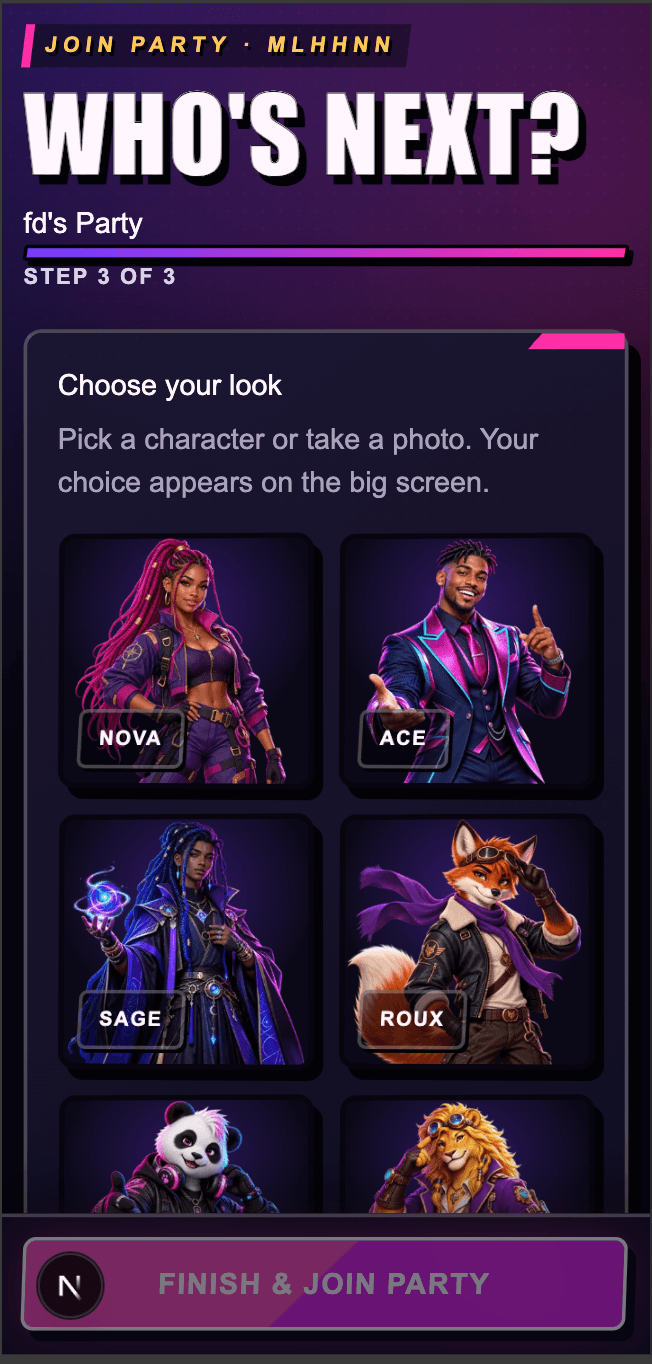
Characters on screen

Choose an avatar or a supported personal photo.

Presenter Mode

Designed for TVs, projectors and large displays.

Shared soundtrack

Spotify integration and guest music preferences.

Party photos

A bounded shared collection after the party.

Private report

Activity, results and feedback for the Host.

Pick a game.
Start the party.

Beta · Try it free for 15 minutes. No card required.

Try it free